
Mastering NotebookLM: 3 The Complete Guide to Agentic AI and Advanced Prompting
Move beyond basic prompts. Discover the 'Agentic' secret to NotebookLM and get our exclusive catalog of 15+ expert prompts for deep analysis
MASTERING NOTEBOOKLM
Emma Al
3/11/20264 min read

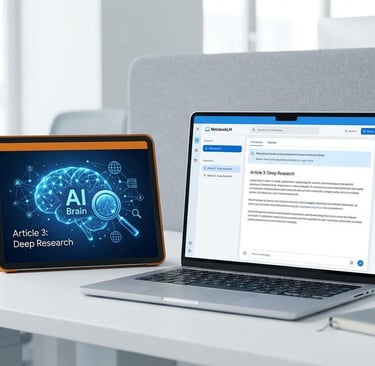
Imagine sending a junior researcher to the library with a complex question. They don’t just find one book; they look at fifty, cross-reference the bibliographies, and return with a 10-page report that highlights the consensus and the controversies. That is Deep Research.
In our previous articles, we mastered the “Knowledge Fortress”—learning how to ground the AI in your own files. But what if your fortress needs fresh intelligence from the outside world? Today, we explore Deep Research, an “agentic” feature that allows NotebookLM to act as an autonomous scout, browsing the live web to build a massive knowledge base for you in minutes.
Missed the series?
[Part 2: Managing Large Datasets]
1. What is “Agentic AI”?
Most AI tools are reactive: you ask a question, and they give an answer. Agentic AI is proactive. When you trigger Deep Research, the AI doesn’t just “Google” your prompt. It:
Develops a Plan: It breaks your complex request into multiple research sub-tasks.
Browses & Evaluates: It navigates dozens (sometimes hundreds) of websites, discarding low-quality info and keeping high-authority data.
Synthesizes: It looks for patterns and contradictions across all those sites.
Self-Corrects: If it finds a gap in its own plan, it searches again to fill it.
Deep Research runs in the background: This allows you to continue working on other notes or notebooks while the agent gathers intelligence.
2. Fast Research vs. Deep Research: Which One Do You Need?
Before you start, you’ll see two modes in the source panel. Choosing the right one is key to your efficiency:
Fast Research: Best for a quick scan. It rapidly provides a light summary and relevant links when you need immediate orientation in a new topic.
Deep Research: Designed for a full, in-depth briefing. It meticulously combs through hundreds of websites, cross-references findings, and analyzes data to build a comprehensive, multi-page report.
3. Step-by-Step: Launching Your Autonomous Agent
Setting a deep research task is simple, but the strategy behind your prompt matters.
Open the Source Panel: In your notebook, select Web as your search base.
Toggle the Mode: Switch the selector to Deep Research.
Define Your Task: Enter a complex question (e.g., “Analyze the long-term economic impact of AI automation on the manufacturing sector from 2020 to 2025”).
Let it Work: The AI will create a 5-step research plan and start browsing. This runs in the background, so you can continue adding your own notes or working in other notebooks while it’s active.
4. Reviewing and Importing the “Second Brain”
Once the research is complete, you aren’t just given a list of links. You receive a structured, source-grounded report.
Transparency: Every claim in the report comes with citations. You can click them to verify the original source instantly.
Total Control: You can review the underlying sources used and choose to import only the ones you find most credible, or import the entire collection (up to all files found) directly into your notebook’s knowledge base.
Bypassing Limits: This is a pro-user secret, a single Deep Research report can synthesize the knowledge of 100+ websites but counts as only one source toward your 50-source limit. In other words, the master report counts as only one source, leaving you with 49 more slots to fill with whatever else you need.
5. Moving from "Finding" to "Extracting": The Prompt Engineering Guide
Deep Research creates the document, but now you need to put that information to work. This is where your Prompting Catalog becomes your primary tool. Once the agent has returned with its findings, the "Chat" bar at the bottom is no longer just for searching, it’s for Extraction.
5.1. The Foundation: The “Big Four” Basics
List: “List all the [Key Elements/Dates/Deadlines] mentioned across these sources.”
Explain: “Explain [Complex Concept] as if I were a first-year student with no prior background.”
Summarize: “Summarize the executive summary of [Source Name] into three bullet points for a quick briefing.”
Analyze: “Analyze the relationship between [Variable A] and [Variable B] based on the evidence provided.”
5.2. Advanced Research & Synthesis (The Specialist’s Choice)
Identify the Gaps: “Based on these sources, what critical perspectives, data points, or modern industry standards regarding [Topic] are missing?”
The Contradiction Finder: “Across all the findings, identify the biggest conflicting claims about [Subject]. Quote the specific claims from each side and explain why they might disagree.”
The Socratic Tutor: “Don’t give me the answers. Ask me one probing question at a time about [Specific Area] to test my mastery of these materials.”
The Trend Detector: “Create a detailed timeline showing how the core methodologies or ideas regarding [Topic] have evolved over the last [Number] years.”
5.3. Creative Transformation (From Data to Content)
The Disillusionment Filter: “Analyze this [Strategy/Theory] from the perspective of a skeptic who once believed in it but changed their mind. What flaws would they point out?”
The Multichannel Draft: “Turn the key findings of this research into a [Number]-part LinkedIn series, one newsletter headline, or a 1-minute video script.”
Analogy Generator: “Provide a real-world metaphor to explain the complex idea of [Technical Concept] so it is easy to visualize.”
5.4. Operational & Workflow Efficiency
The FAQ Builder: “Based on these [Manuals/Documents], generate an FAQ for [Audience] with answers grounded strictly in the provided text.”
The Decision Auditor: “Cross-reference my proposed [Plan/Idea] with the [Standards/Rules] found in these sources. Identify any steps I missed or rules I might be breaking.”
Syllabus Alignment: “Using the uploaded materials and the [Requirements/Syllabus], create a step-by-step schedule for the next [Time Period].”
Pro Tip 1 The Specialist’s “Golden Rule” for Prompting:
For these prompts to work perfectly, you must use the Left Panel to check only the relevant sources. If you ask for a “Comparison” but have 50 unrelated files checked, the AI might get “noisy.” Laser-focus the sources before you fire the prompt.
Pro Tip 2 The “Persona” Trick:
You can dramatically change the quality of an answer by giving the AI a role.
Instead of: “Explain this.”
Try: “You are an expert research mentor. Explain this concept by focusing on methodological weaknesses and recurring challenges in the field.”
Advanced Operational Q&A
Q1: Can Deep Research read behind paywalls or private socials?
No. It respects robots.txt and paywalls. It can only access what a standard browser can see publicly.
Q2: Does this count against my daily 50-chat limit?
Yes. Deep Research is a “high-compute” action. On the free tier, these queries are limited to ensure system stability.
Q3: Can I tell it which websites to visit?
You can suggest them in your prompt (e.g., “Focus on academic journals like Nature or JSTOR”), and the agent will prioritize those high-authority domains.
Enjoyed This?
If you'd like to see practical examples and screenshots demonstrating how these tools are used in real-world scenarios, you can read the illustrated version of this article on my Substack.
https://aiportalen.substack.com/p/series-title-mastering-notebooklm-c42
AI Portalen
Follow us on social media
© 2025 AI Portalen. All rights reserved. Stockholm, Sweden.
Enter your email, and we’ll send free resources directly to your email..
By subscribing, you agree to receive the AI Portalen newsletter.
We respect your privacy. You can unsubscribe anytime.